
How to Secure Your VPS: Firewall, SSH Hardening, Fail2ban

Within minutes of going online, every public server starts receiving automated attacks: password guesses, port scans, and exploit attempts against whatever it finds listening. This is not personal and it is not rare. In its Q1 2025 report on malware aimed at Linux SSH servers, AhnLab found that two malware families drove most of the activity, with P2PInfect (56.3%) and Tsunami (25.4%) together accounting for about 80% of the samples it collected from compromised servers — the payloads that get dropped once a weak login is guessed. The good news is that the defences that stop this are cheap, standard, and take under an hour to set up.
This guide builds three layers on a fresh VPS: a default-deny firewall, hardened SSH, and Fail2ban. First, though, a point that trips up almost everyone on their first server.
VPS firewall: you probably have two, not one
When people search for "VPS firewall" they are usually asking one of two different questions, because a VPS almost always sits behind two firewalls:
- The provider (network) firewall — sometimes called a cloud firewall or security group. It runs on your host's network edge, outside the operating system, and filters traffic before it ever reaches your VPS. You configure it in your provider's control panel, not on the server.
- The host firewall — UFW, firewalld, or raw nftables/iptables running inside your VPS. This is what the rest of this guide configures.
They are complementary, not redundant. A network firewall blocks packets before they cost your server any CPU and keeps working even if the OS is misconfigured, but it usually cannot see application logs, so it cannot ban an IP for failing ten SSH passwords. The host firewall lives with your services, understands them, and works even if you migrate to a provider that offers no network firewall at all. The safe default is defence in depth: run both, keep the rules in sync, and never assume one covers the other. The single most common lock-out on a new VPS is opening SSH in one firewall and forgetting the second.
Layer 1: a default-deny host firewall
The principle is simple: everything is closed unless you explicitly open it. A default-deny stance means a service you forgot about — a database that shipped listening on all interfaces, a debug port, an old admin panel — is unreachable by default rather than exposed by default.
On Ubuntu/Debian, UFW ships disabled with a default incoming policy of deny, forward deny, and outgoing allow (per the UFW manual), so you are mostly making that explicit and opening the ports you need:
ufw default deny incoming
ufw default allow outgoing
ufw allow OpenSSH
ufw allow 80/tcp
ufw allow 443/tcp
ufw enable
On CentOS/Alma/Rocky, firewalld uses zones. Add the services to your active zone, then reload:
firewall-cmd --permanent --add-service={ssh,http,https}
firewall-cmd --reload
A firewalld gotcha worth knowing: changes without --permanent apply immediately but vanish on reload/reboot, while --permanent changes only take effect after a reload. If you experimented at runtime and want to keep what works, firewall-cmd --runtime-to-permanent saves the live ruleset in one step.
Restrict, don't just open
"Allow SSH" does not have to mean "allow SSH from the entire internet." If you connect from a fixed office IP or a VPN, scope the rule to the source. Rule ordering matters — first match wins — so add specific rules before general ones.
# UFW: only this network may reach SSH
ufw allow from 203.0.113.0/24 to any port 22 proto tcp

# firewalld: rich rule restricting SSH to one source
firewall-cmd --permanent --add-rich-rule='rule family="ipv4" source address="203.0.113.0/24" service name="ssh" accept'
If you must leave SSH open to the world, rate-limit it. A UFW limit rule allows connections normally but denies an IP that opens 6 or more connections within 30 seconds — enough to blunt crude brute-forcing without banning yourself on a flaky link:
ufw limit ssh/tcpTwo mistakes almost everyone makes
- Databases exposed globally. Ports 3306 (MySQL/MariaDB), 5432 (PostgreSQL), 6379 (Redis), and 27017 (MongoDB) should never face the internet. Bind them to
127.0.0.1or restrict by source IP. Redis and MongoDB in particular have a long history of mass-ransom incidents caused purely by being reachable with no password. - Docker bypasses UFW. Docker writes its own iptables rules, so a published port like
-p 8080:80can be reachable even though UFW "denies" it. Bind published ports to localhost —-p 127.0.0.1:8080:80— or put the service behind a reverse proxy.
Which layer stops which attack
These three defences do different jobs. The table makes it obvious why you want all of them:
| Threat | Provider/network firewall | Host firewall (UFW/firewalld) | Fail2ban |
|---|---|---|---|
| Port scan of closed ports | Blocks | Blocks | — |
| Exploit against a service you forgot was listening | Blocks if port not opened | Blocks if port not opened | — |
| Brute-force against an open SSH port | Only via rate limit, if offered | Only via ufw limit | Bans the source IP |
| Repeated failed logins on Nginx/WordPress/mail | — | — | Bans the source IP |
| Traffic flood before it reaches the OS | Absorbs at the edge | Costs server CPU | — |
A firewall decides whether a port is reachable; Fail2ban decides who has abused a port that must stay reachable. That is why a firewall alone is never enough for SSH.
Layer 2: SSH hardening
SSH is the door attackers hammer hardest, and OpenSSH's defaults are permissive for compatibility, not security. Generate a modern key locally:
ssh-keygen -t ed25519Copy it with ssh-copy-id, confirm you can log in with the key, then edit /etc/ssh/sshd_config:
PermitRootLogin no
PasswordAuthentication no
KbdInteractiveAuthentication no
MaxAuthTries 3
AllowUsers deploy
Each line closes a gap left open by default. Here is what you are actually changing, per the OpenSSH sshd_config manual:
| Setting | OpenSSH default | Hardened | Why it matters |
|---|---|---|---|
PermitRootLogin | prohibit-password | no | Removes root as a login target entirely; admins log in as a user and use sudo. |
PasswordAuthentication | yes | no | Key-only auth makes password brute-forcing structurally impossible. |
KbdInteractiveAuthentication | yes | no | Closes a second password-style path that survives disabling PasswordAuthentication alone. |
MaxAuthTries | 6 | 3 | Fewer attempts per connection; more cost per guess. |
Apply the config with sshd -t to check syntax, then reload the service — and always keep a second terminal logged in until you have confirmed a fresh session works. Locking yourself out of a VPS means a console-recovery detour at best.
Optional extras. Moving SSH to a non-standard port cuts log noise but is not real security — treat it as cosmetic. For high-value servers, add two-factor auth with pam_google_authenticator, or bind SSH to a private VPN/WireGuard interface so it is never exposed publicly at all. If you are still setting up the box, our initial VPS setup checklist for Ubuntu and CentOS walks through this in order.
Layer 3: Fail2ban against brute force
A firewall keeps closed ports closed, but SSH, your web login, and your mail server have to stay open. Fail2ban watches their logs and temporarily bans IPs that fail repeatedly. Install it:
apt install fail2ban   # Debian/Ubuntu
dnf install fail2ban   # CentOS/Alma/Rocky
Never edit jail.conf directly — a package update overwrites it. Put your overrides in /etc/fail2ban/jail.local, which Fail2ban reads last:
[DEFAULT]
bantime = 1h
findtime = 10m
maxretry = 5

[sshd]
enabled = true
Read that as a worked example: an IP that fails 5 times (maxretry) within a 10-minute window (findtime) is banned for 1 hour (bantime). Fail2ban's own shipped defaults are more lenient — bantime and findtime both 10m, maxretry 5 — so raising bantime is one of the few tuning changes worth making immediately. For persistent offenders, set bantime.increment = true so repeat bans grow automatically. Beyond SSH, Fail2ban ships jails for Nginx auth, WordPress login endpoints, and mail services; enable the ones that match what you run. Check a jail with:
fail2ban-client status sshdOne caveat worth stating plainly: if you already disabled password authentication, SSH brute-force is largely a non-event and Fail2ban mostly just trims log noise and CPU. Its real value grows on the services that must accept passwords — web and mail logins. It is a complement to key-only SSH, not a substitute for it.
The layers people forget
- Automatic security updates. Enable
unattended-upgrades(Ubuntu) ordnf-automatic(CentOS). Most real-world compromises exploit a patch that has been available for months, not a zero-day. - Least privilege. Run applications as unprivileged users, never as root; use sudo for administration so a compromised app cannot own the whole box.
- Remove unused services. Every listening service is attack surface. List them with
ss -tlnpand uninstall what you do not need. - Offsite backups. Ransomware and a mistyped
rmboth walk straight through your firewall. Keep versioned, offsite backups the server itself cannot delete. - Monitoring. Simple uptime and login alerts turn a silent breach into an early warning.
Summary
Restrict the firewall to the ports you actually serve — and remember you may be configuring it in two places, your provider's panel and the host. Configure SSH for key-only login with root disabled. Deploy Fail2ban on the services that must stay open. Turn on automatic updates. These four habits stop the overwhelming majority of attacks a VPS will ever face, and they take less than an hour to put in place. If you are still deciding what to run them on, see our guides on choosing the right VPS plan and shared hosting vs VPS.
Putting these layers on a server
UFW, SSH hardening and fail2ban only work where you control the host yourself. Karizanta's UK VPS, Sweden VPS and Netherlands VPS give you full root access, and every plan includes always-on DDoS filtering at the network edge, which absorbs the volumetric floods that no host firewall can.
Sources
- ufw(8) — Ubuntu manual page (default policies, limit rule, source rules) (unknown)
- sshd_config(5) — OpenSSH manual (PermitRootLogin, PasswordAuthentication, MaxAuthTries defaults) (unknown)
- Fail2ban jail.conf — shipped default bantime/findtime/maxretry (unknown)
- firewall-cmd — firewalld documentation (zones, rich rules, runtime-to-permanent) (unknown)
- Statistical Report on Malware Targeting Linux SSH Servers in Q1 2025 — AhnLab ASEC (2025-05)
- Anatomy of a Linux SSH Honeypot Attack — SANS Internet Storm Center (2025-05)
Frequently asked questions
Do I need a firewall on my VPS if my provider already has one?
Yes. The provider's network firewall filters traffic at the edge, but a host firewall (UFW or firewalld) travels with your server, understands your services, and keeps working if you change providers or misconfigure the panel. Run both and keep the rules in sync.
What's the difference between a firewall and Fail2ban?
A firewall decides whether a port is reachable at all. Fail2ban decides who has abused a port that must stay open — it reads service logs and temporarily bans IPs that fail login repeatedly. A firewall can't ban an attacker for guessing SSH passwords on an open port; Fail2ban can.
Is changing the SSH port a real security measure?
No. Moving SSH off port 22 reduces automated log noise but doesn't stop a targeted scan. Treat it as cosmetic. The real protections are key-only authentication, disabling root login, and a default-deny firewall.
Do I still need Fail2ban if I've disabled SSH password login?
For SSH itself, largely no — key-only auth makes password brute-forcing impossible, so Fail2ban mostly just trims logs. Its real value is on services that must accept passwords, such as web admin panels and mail logins.
Which ports should never be open to the internet on a VPS?
Database ports: 3306 (MySQL/MariaDB), 5432 (PostgreSQL), 6379 (Redis), and 27017 (MongoDB). Bind them to 127.0.0.1 or restrict by source IP. Redis and MongoDB exposed without a password are a well-known cause of mass-ransom incidents.
Related reading
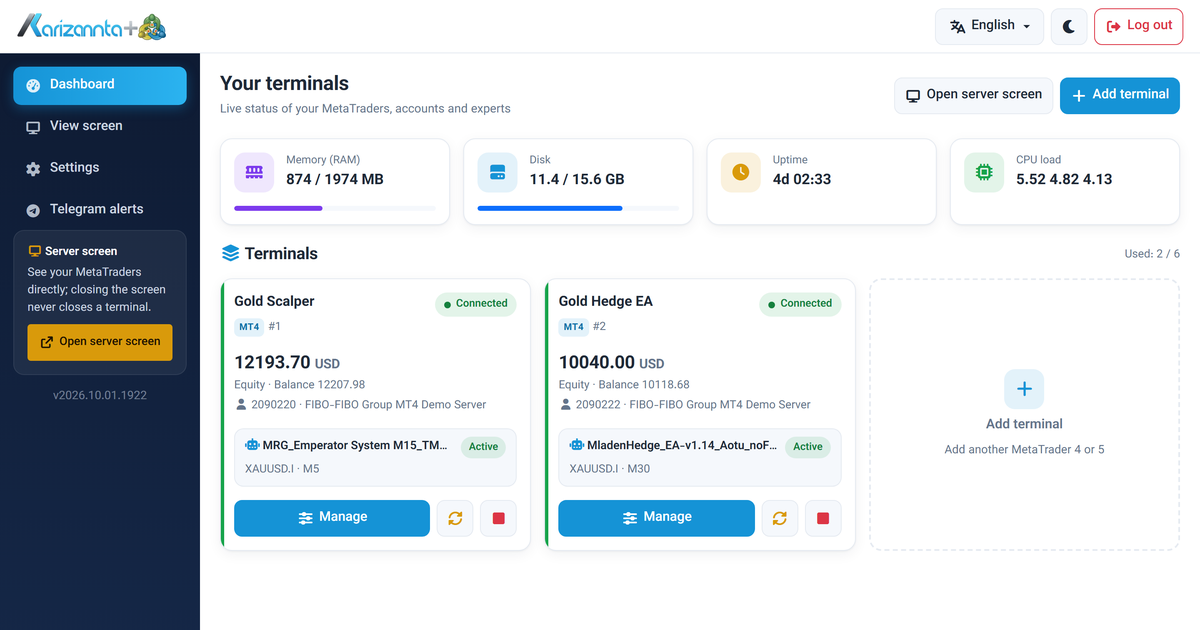
MetaTrader VPS on Linux: Run MT4 and MT5 Expert Advisors 24/7
A MetaTrader VPS that keeps MT4 and MT5 running on its own: automatic re-login after every restart, a web panel for accounts and expert advisors, and Telegram alerts. A tour with screenshots.
Read more →
Self-host n8n on a VPS with Docker and Postgres
A complete, copy-pasteable path to run n8n on your own Ubuntu VPS with Docker Compose and Postgres: the environment variables that matter, nginx and TLS, and the webhook, timezone and queue-mode traps that catch everyone.
Read more →
Self-host Vaultwarden on a VPS: the secure setup
A copy-pasteable path to run Vaultwarden 1.37.3 behind nginx and TLS on a small VPS, with the security steps that matter: admin token hashing, closed signups, a WebSocket-aware proxy, fail2ban on the login endpoint, and a backup you have actually restored.
Read more →