
Free Linux Web Hosting Control Panels for Debian & Ubuntu Compared: Architecture, Mail, and Trade-Offs

Searching for a "free cPanel alternative" turns up the same half-dozen names, and most comparisons either list every feature as a tick or quietly rank their own product first. This one is written by the people who make KA Panel, so take that into account. We have tried to make the comparison useful anyway: each claim below comes from the project's own documentation, where something is not documented we say so, and there is a section on when you should pick something other than ours.
The question is narrow on purpose: you have a Debian 13 or Ubuntu 24.04 server, you want to host sites (and maybe mail) on it, and you do not want to pay for a panel licence.
What actually separates them
Feature lists are long and mostly similar. Six differences decide which panel suits a server:
- How it is built. Some panels are one program that writes configuration for the system's own packages. Others are a large collection of shell scripts, or a full PHP or Python web application with its own database server and dependencies to keep patched. That affects how updates go and how much memory the panel itself uses.
- Which web server. nginx is fast and simple, but it ignores
.htaccess. Apache reads it. OpenLiteSpeed reads rewrite rules from it. If you are moving sites from shared hosting,.htaccesssupport is often what decides it. - Whether it runs mail. A panel with a built-in mail server needs more memory and more care with DNS. A panel without one is lighter and leaves you to use Google Workspace, Microsoft 365 or a separate mail server.
- Isolation between sites. Does each site run as its own Linux user with its own PHP pool, and are disk limits enforced by the kernel or just displayed?
- Getting sites in. Whether it can read a cPanel backup directly, or every site has to be moved by hand.
- Getting backups out. A backup on the same disk does not survive the disk. Where can the panel send a copy?
The comparison
Checked against each project's documentation in November 2026. "Not documented" means we could not find it in the official documentation, not that the feature is missing.
| KA Panel | HestiaCP | CloudPanel | aaPanel | Virtualmin GPL | CyberPanel | |
|---|---|---|---|---|---|---|
| Debian 13 / Ubuntu 24.04 | Both | Both | Both | Both | Both | Ubuntu only (Debian unofficial) |
| Stated minimum RAM | 2 GB, 4 GB with mail | 1 GB without SpamAssassin/ClamAV, 4 GB recommended | 2 GB | 512 MB, 1 GB recommended | Not documented | Not documented |
| Web server | nginx, Apache behind nginx per site | nginx + Apache | nginx | nginx, Apache or OpenLiteSpeed | Apache (nginx optional) | OpenLiteSpeed |
| .htaccess | Yes, on sites switched to Apache | Yes, with Apache | No | Yes, with Apache | Yes, with Apache | Rewrite rules |
| Built-in mail and webmail | Postfix, Dovecot, rspamd; Roundcube | Exim, Dovecot, SpamAssassin, ClamAV; Roundcube or SnappyMail | No, by design | Yes | Yes; Roundcube optional | Yes, with webmail |
| Node.js / Python apps | Yes, as systemd services | Not documented | Yes (pm2 / uwsgi) | Yes | Not documented | Not documented |
| cPanel backup import | Yes (webpanel import-cpanel) | Yes (v-import-cpanel) | Not documented | WordPress sites and certificates only | Yes | Not documented |
| Off-server backups | Google Drive, S3-compatible, FTP with TLS | FTP, SFTP, Backblaze, rclone | S3, Wasabi, Spaces, Dropbox, Google Drive, SFTP, rclone | FTP and cloud storage | S3, B2, Azure, Dropbox, Google Drive and others | Not documented |
| Licence | Free, source not public | GPL-3.0 | Free under an EULA | Free core, paid Pro | GPL, paid Pro | GPL-3.0 |
Each one in a paragraph
HestiaCP
The continuation of VestaCP, and the most complete free "classic" panel on Debian and Ubuntu: nginx in front of Apache, a full mail stack with spam and virus filtering, DNS, and a cPanel importer. It is built from shell scripts, a large CLI of v-* commands, which makes it very scriptable. The price of the full mail stack is memory: with ClamAV running, 1 GB is not realistic, and the project itself recommends 4 GB.
CloudPanel
Built for running PHP, Node.js and Python applications fast on nginx, with good defaults for WordPress, Varnish and Redis. It has no mail server at all, by design, and says so in its documentation. If your mail already lives with Google or Microsoft and every site is happy on nginx, that is a strength. It is free to use, but under an end-user licence rather than an open-source one.
aaPanel
The broadest choice of software: nginx, Apache or OpenLiteSpeed, many PHP, Node.js and Python versions, a one-click app store, and the lowest stated memory requirement. Many features sit in the paid Pro edition, and its cPanel migration covers WordPress sites and certificates rather than whole accounts.
Virtualmin GPL
The longest-running of the group, built on Webmin, and the most flexible. It supports RHEL-family systems as well as Debian and Ubuntu, imports cPanel, Plesk and DirectAdmin backups, and backs up to a long list of cloud stores. The trade-off is the interface: it exposes a great deal, and a new user has more to learn than with the others.
CyberPanel
Built around OpenLiteSpeed and its LSCache, which makes it a natural fit for WordPress sites that want server-level page caching. Ubuntu is the supported Debian-family system; Debian itself is listed as third-party. Memory requirements and backup destinations are not spelled out in the main documentation we read.
KA Panel
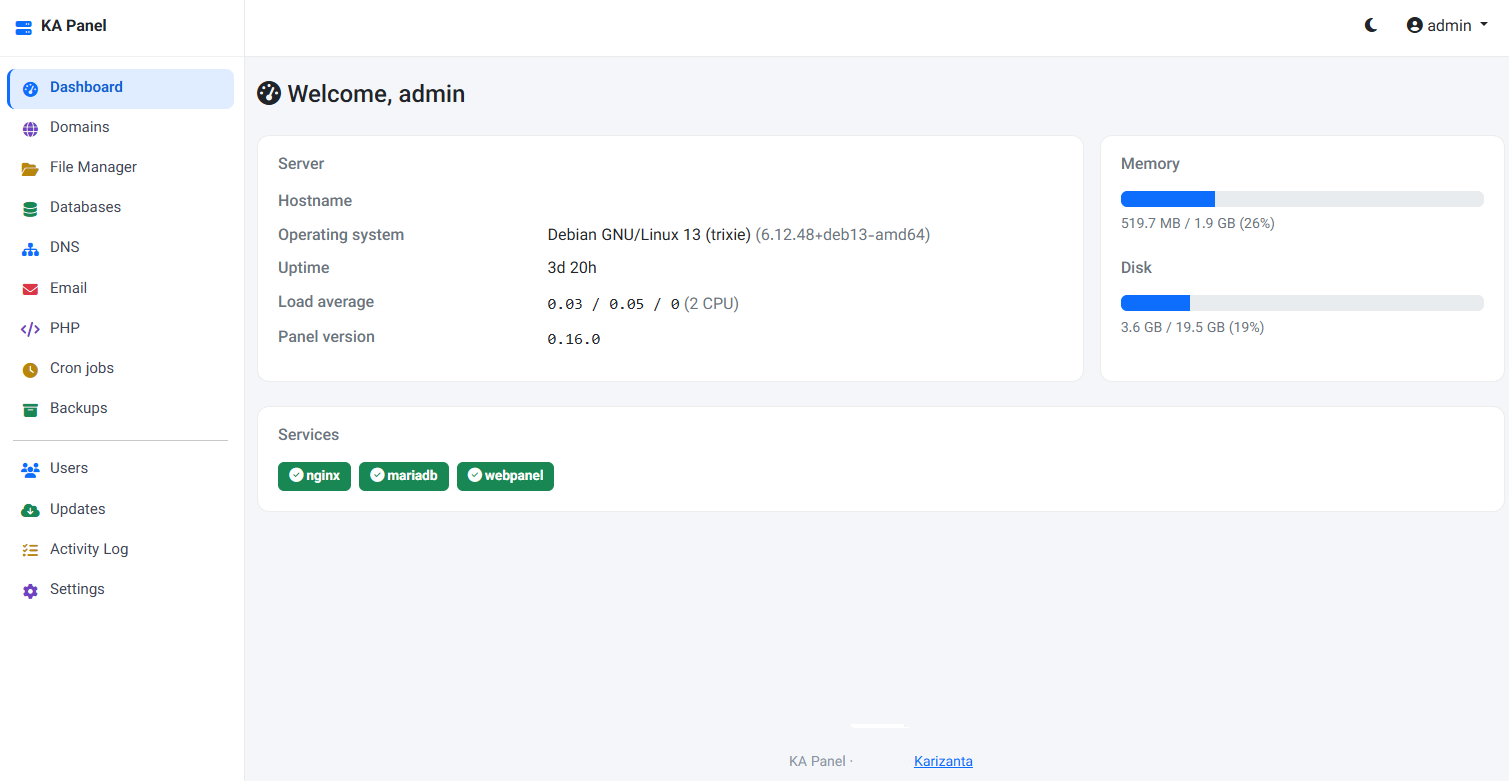
Ours, and why we built it is its own post. A single Go program that configures Debian's own nginx, PHP-FPM, MariaDB, Postfix, Dovecot and PowerDNS, with no PHP or Python runtime of its own to keep patched. Every site runs as its own Linux user and PHP pool, disk limits are kernel quotas, and sites that need .htaccess can be switched to Apache behind nginx one at a time. It imports cPanel backups, copies backups to Google Drive, S3 or FTP, and applies PHP and kernel security updates on its own. Updates are signed and roll themselves back if a new version fails to start.
When KA Panel is the better choice
- You run a handful of sites and want each one isolated as its own user, with mail stored and counted inside that user's home.
- You are leaving cPanel and want files, databases with their original passwords, certificates and cron jobs carried over in one step. Our cPanel migration guide shows the process.
- You mix PHP sites with a Node.js or Python service on the same server. Hosting PHP, Node.js and Python together covers how.
- You want the panel itself to be small, and updates you do not have to babysit.
- You need the panel in Persian or Arabic with a real right-to-left layout.
When to choose something else
- You need billing automation. KA Panel does not create accounts from WHMCS or HostBill orders. If you sell hosting, a commercial panel with a billing module (cPanel, Plesk, DirectAdmin) saves real work. Virtualmin Pro is also worth a look.
- You run several servers as one. KA Panel is one panel per server: no clustering, no managing a fleet from one screen, no reseller tier. Commercial panels and Virtualmin handle multi-server setups better.
- You are on AlmaLinux or Rocky. KA Panel and HestiaCP are Debian and Ubuntu only. Virtualmin, aaPanel and CyberPanel support RHEL-family systems.
- You want the source code. KA Panel is free to use but its source is not public. If an open-source licence matters to you, HestiaCP, Virtualmin GPL and CyberPanel are GPL.
- You want antivirus scanning of mail built in. HestiaCP ships ClamAV and SpamAssassin. KA Panel filters spam with rspamd but has no antivirus.
A note on memory
The minimums in the table are what each project says the panel needs, not what your sites need. Panels with mail need far more than ones without: spam filtering, and especially antivirus, take a lot. On a 2 GB server that will run mail, keep the panel lean and leave antivirus out. On 4 GB you have room for most configurations. Test with your own sites before you move customers.
Whichever panel you choose, our VPS in Coventry, the Netherlands, Germany and Stockholm, and our dedicated servers, come with clean Debian and Ubuntu installs to start from.
Sources
- HestiaCP: README, getting started, CLI reference, backups.
- CloudPanel: requirements, e-mail, backups, licence terms.
- aaPanel: home page and software stack, installation and FAQ.
- Virtualmin: OS support, cloud storage providers, virtualmin-gpl on GitHub.
- CyberPanel: README.
- KA Panel: documentation and release log.
Frequently asked questions
Which free control panel uses the least memory?
Of the ones compared, aaPanel states the lowest minimum, 512 MB. In practice the panel matters less than what it runs: a mail stack with spam and antivirus filtering takes far more memory than any panel. Without mail, 2 GB comfortably runs any of them with several sites.
Which free panels can import a cPanel backup?
KA Panel, HestiaCP and Virtualmin document a cPanel backup importer. aaPanel's migration tool moves WordPress sites and SSL certificates from cPanel. For CloudPanel and CyberPanel we could not find a documented importer.
Do I need Apache to use .htaccess?
For the full set of directives, yes. nginx ignores .htaccess files, and OpenLiteSpeed reads only their rewrite rules. KA Panel lets you put Apache behind nginx for just the sites that need it.
Is KA Panel open source?
No. It is free to install and use on any number of servers, ours or anyone else's, but the source is not public and it may not be resold or rebranded.
Can these panels replace cPanel and WHM for a hosting business?
For hosting your own sites, yes. For selling hosting, check billing integration and reseller accounts first. KA Panel has neither yet, and most free panels are weaker there than cPanel, Plesk or DirectAdmin.
Related reading
KA Panel: the free hosting control panel we built for our own customers
KA Panel is Karizanta's own hosting control panel, free with every server we run: sites, per-site PHP, certificates, databases, email with webmail, DNS, backups and customer logins, installed on Debian with one command.
Read more →
How to Migrate a cPanel Account to a Debian or Ubuntu VPS (Without Paying for a Panel Licence)
What is inside a cPanel full backup, how to move it to Debian 13 or Ubuntu 24.04 by hand, and how KA Panel imports it in one command.
Read more →
Hosting PHP, Node.js, and Python Sites Together on One Debian or Ubuntu VPS
Run PHP, Node.js and Python sites on one small VPS without a container each: per-site users, PHP-FPM pools, systemd services with memory limits, and nginx.
Read more →