
Hosting PHP, Node.js, and Python Sites Together on One Debian or Ubuntu VPS

A common setup: a WordPress or Laravel site, an API written in Node.js next to it, maybe a small Flask or FastAPI service, all on one 2 GB or 4 GB VPS. The quick answer is a Docker container for each, and on a small server that quick answer gets expensive. Every container brings its own copy of a runtime and often its own database, and the memory goes before the sites are busy.
Linux already has everything needed to run these side by side safely, without containers. This guide shows the layout we use on our own servers, how to build it by hand on Debian 13 or Ubuntu 24.04, and how the Applications page in KA Panel sets up the same thing from a form (more about the panel).
The layout
Four ideas do all the work:
- One Linux user per site. Each site's files belong to its own system user. If one application has a hole in it, the attacker gets that user, and that user cannot read the next site's files, database password or mail.
- PHP runs as that user, in its own pool. PHP-FPM can run any number of pools, each as a different user, with its own worker count and memory limit. Different sites can use different PHP versions at the same time, because each version has its own FPM service.
- Node.js and Python run as systemd services, as that user. systemd starts the program at boot, restarts it if it crashes, writes its output to the journal, and enforces a memory ceiling. This is the job pm2, forever or supervisord is often installed for, and systemd is already on the machine.
- nginx in front of everything. nginx holds ports 80 and 443 and the certificates, serves static files itself, and passes the rest to PHP-FPM through a socket or to the Node or Python program on a local port.
Nothing here is exotic, and there is only one copy of each runtime on the disk.
Building it by hand
Users
useradd --create-home --shell /usr/sbin/nologin shop
useradd --create-home --shell /usr/sbin/nologin api
chmod 750 /home/shop /home/api
usermod -aG shop www-data
usermod -aG api www-data
Adding www-data to each site's group lets nginx read static files, while the sites still cannot read each other's homes.
A PHP-FPM pool per site
Debian 13 ships PHP 8.4. For other versions, use the packages from deb.sury.org on Debian or the ondrej/php PPA on Ubuntu. A pool for the shop site on PHP 8.3, in /etc/php/8.3/fpm/pool.d/shop.conf:
[shop]
user = shop
group = shop
listen = /run/php/shop.sock
listen.owner = www-data
listen.group = www-data
pm = ondemand
pm.max_children = 5
pm.process_idle_timeout = 30s
php_admin_value[memory_limit] = 256M
php_admin_value[open_basedir] = /home/shop/:/tmp/
pm = ondemand matters on a small server: a quiet site holds no workers at all, and a busy one is capped by pm.max_children.
A Node.js or Python program as a service
The program must listen on 127.0.0.1 only, on a port nginx knows about. /etc/systemd/system/api.service:
[Unit]
Description=api.example.com
After=network.target

[Service]
User=api
Group=api
WorkingDirectory=/home/api/app
Environment=PORT=39001
Environment=NODE_ENV=production
ExecStart=/usr/bin/node server.js
Restart=on-failure
RestartSec=3s
MemoryMax=384M
TasksMax=128
NoNewPrivileges=true
PrivateTmp=true
ProtectSystem=strict
ReadWritePaths=/home/api

[Install]
WantedBy=multi-user.target
systemctl daemon-reload
systemctl enable --now api
journalctl -u api -fMemoryMax is the line that makes this safe on a small VPS. A program that leaks memory is stopped by the kernel at 384 MB and restarted, instead of pushing the whole server into swap. For Python, point ExecStart at a server inside the site's virtual environment, for example /home/api/app/.venv/bin/gunicorn -b 127.0.0.1:39001 app:app.
nginx in front
server {
    listen 443 ssl;
    http2 on;
    server_name api.example.com;
    root /home/api/app/public;

    location / {
        try_files $uri @app;
    }
    location @app {
        proxy_pass http://127.0.0.1:39001;
        proxy_set_header Host $host;
        proxy_set_header X-Forwarded-For $proxy_add_x_forwarded_for;
        proxy_set_header X-Forwarded-Proto $scheme;
        proxy_http_version 1.1;
        proxy_set_header Upgrade $http_upgrade;
        proxy_set_header Connection "upgrade";
    }
}
try_files $uri @app lets nginx serve any file that exists on disk and send only the rest to the program, so images and scripts never use the application's time. The Upgrade headers let web sockets through. Ubuntu 24.04 ships nginx 1.24, which does not accept http2 on;: write listen 443 ssl http2; there instead.
The PHP site's server block is the familiar one, with fastcgi_pass unix:/run/php/shop.sock; pointing at its own pool.
How much fits in 2 GB
Measure, do not guess. systemctl status api shows a service's memory, and ps -o rss,cmd -u shop shows a site's PHP workers. As a starting point, a small Express or FastAPI service at rest uses tens of megabytes. Each PHP worker for WordPress uses a few tens of megabytes. MariaDB, with its buffer pool sized for a small server, is usually the biggest single process. Set MemoryMax and pm.max_children so that the sum stays under what the server has, and leave room for the page cache.
The same setup in KA Panel
KA Panel builds this layout for you, and on our servers it is the default.
- Every site is its own system user and PHP-FPM pool from the moment you add the domain. PHP 7.4 and 8.1 to 8.4 are available per site and installed the first time a site asks for one.
open_basediris on by default. - The Applications page lists the runtimes on the server and which program every site runs. An administrator installs Node.js there, either Debian's own version (which gets security updates with the rest of the system) or Node 20, 22 or 24 from NodeSource, and Python with
venvandpip. - Setting up a program means filling in the runtime, folder, start command (
npm start,gunicorn app:app, whatever you would type), a memory limit and environment variables. The panel writes a systemd unit that runs as the account's user, gives the program a port inPORT, and sets up nginx withtry_filesand web socket support as above. - Install dependencies runs
npm install, or creates a.venvand installsrequirements.txt, as the customer and under the same limits. Customers have no shell, so this button is what makes it usable for them. - Recent output on the site's page shows the program's own log, and Start shows it straight away when a program fails to come up.
Two limits to know. A site runs either PHP or a program, not both, so a WordPress site and its Node API are two sites, usually example.com and api.example.com, in the same account or in different ones. And there is one Node.js and one Python per server, while PHP versions can differ from site to site. If two programs need different major Node versions on the same server, that is the case where a container is the right tool.
Containers or not?
Docker is the better choice when a program needs a system library or runtime version the operating system does not have, when you want an identical image in development and production, or when the software is only distributed as an image. For ordinary PHP sites and Node or Python services that run on the system's own runtime, users, pools and systemd units give the same isolation that matters here, separate files, separate limits and automatic restarts, with less memory and one set of security updates to keep up with.
A VPS in Coventry, the Netherlands, Germany or Stockholm with 2 GB runs a couple of PHP sites and a small API comfortably this way. If you are choosing a panel, see our comparison of free hosting panels. If your sites are still on cPanel, start with the migration guide.
Sources
- PHP manual: FPM configuration.
- systemd: systemd.resource-control (MemoryMax) and systemd.exec (sandboxing).
- nginx: try_files and WebSocket proxying.
- NodeSource: Node.js binary distributions.
- KA Panel: documentation.
Frequently asked questions
Can I run PHP and Node.js on the same VPS without Docker?
Yes. Run each site as its own Linux user, PHP through a PHP-FPM pool for that user, and the Node.js program as a systemd service for the same or another user, with nginx in front of both. That is the standard Linux setup, and it uses less memory than a container per site.
How do I stop one application from using all the memory?
Set MemoryMax in the program's systemd unit, and pm.max_children with memory_limit for PHP pools. The kernel then stops and restarts a runaway process instead of letting it push the server into swap.
Can different sites use different PHP versions?
Yes. Each PHP version has its own FPM service, and each site's pool lives under the version it uses. In KA Panel the version is a dropdown on the site's page.
Can KA Panel run two different Node.js versions on one server?
No. It installs one Node.js per server: Debian's own, or 20, 22 or 24 from NodeSource. Programs that need different major versions on the same machine are a good case for containers.
What port should my Node.js or Python app listen on?
A local port on 127.0.0.1 that only nginx connects to. KA Panel picks one and passes it in the PORT environment variable, so the program should read PORT rather than hard-code 3000.
Related reading
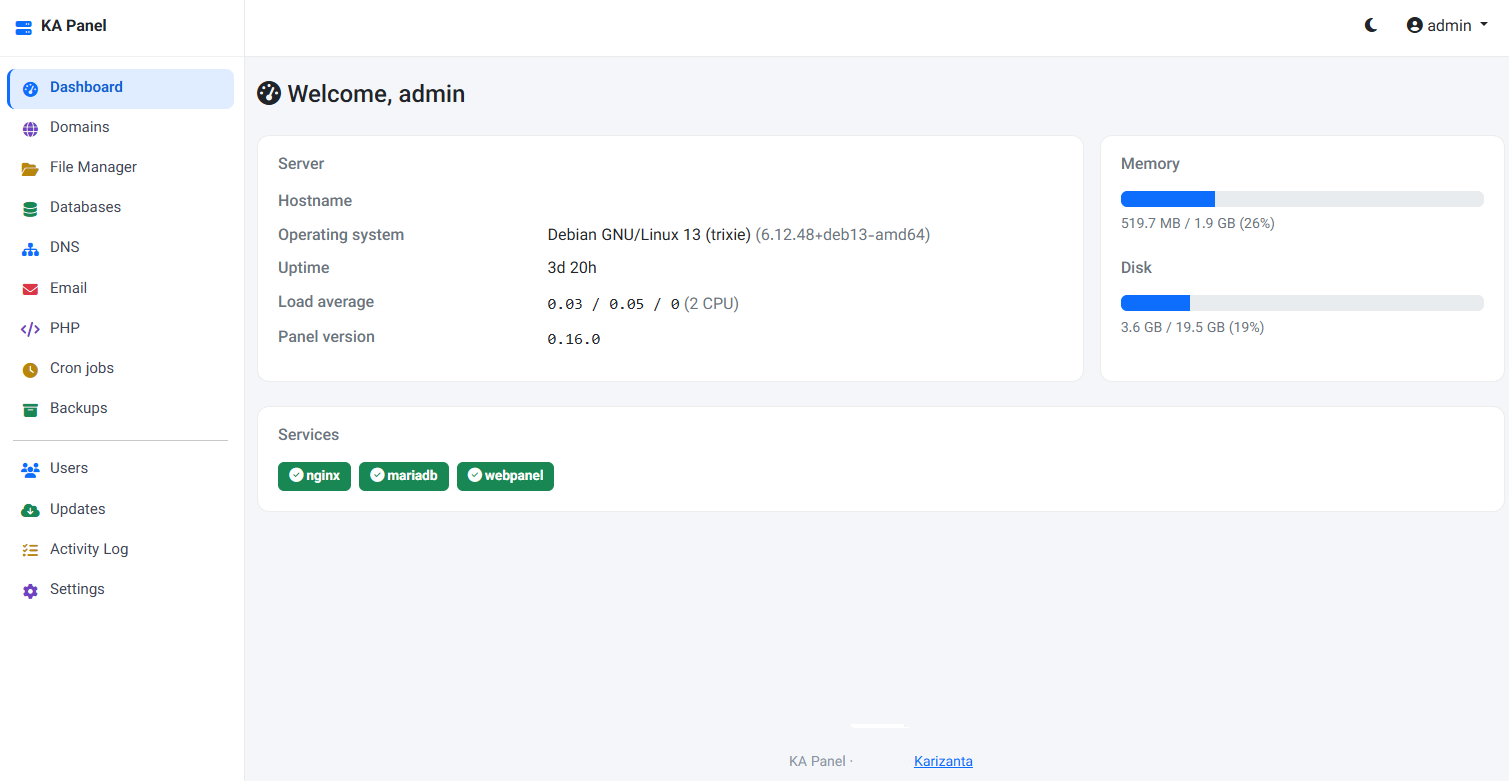
KA Panel: the free hosting control panel we built for our own customers
KA Panel is Karizanta's own hosting control panel, free with every server we run: sites, per-site PHP, certificates, databases, email with webmail, DNS, backups and customer logins, installed on Debian with one command.
Read more →
Free Linux Web Hosting Control Panels for Debian & Ubuntu Compared: Architecture, Mail, and Trade-Offs
An honest comparison of free hosting panels for Debian and Ubuntu: web server, .htaccess, mail, cPanel import, backups and licence, from each project's own docs.
Read more →
How to Migrate a cPanel Account to a Debian or Ubuntu VPS (Without Paying for a Panel Licence)
What is inside a cPanel full backup, how to move it to Debian 13 or Ubuntu 24.04 by hand, and how KA Panel imports it in one command.
Read more →